
Benchmarking Models
Frontier labs continue to release new models with claims of improved benchmark performance. As these models emerge, application developers need reliable ways to evaluate how they perform on both standard benchmarks and their own task-specific datasets.
Patronus Experiments enable developers to compare models and prompts side by side using traditional evaluations such as SWEBench, MMLU, and Humanity's Last Exam, or with custom golden data brought into the platform.
The full script in this guide is a single file — the three code blocks below concatenate into a runnable module.
Setup
Install dependencies:
Set environment variables:
0. Initialize Environment
Import the required packages, initialize a Patronus project, and instrument OpenAI so all requests are traced.
1. Define Datasets and Models
We'll use the pre-loaded FinanceBench eval set from the Patronus platform.
You can also use standard benchmarks like MMLU or define your own golden dataset.
2. Define Experiment Task and Experiment
We write a task that calls the OpenAI API for each eval row.
Because models is a loop variable, we wrap the task definition in a factory (make_qa_task) so each coroutine captures its own model rather than the shared loop binding.
3. View Comparison in Patronus UI
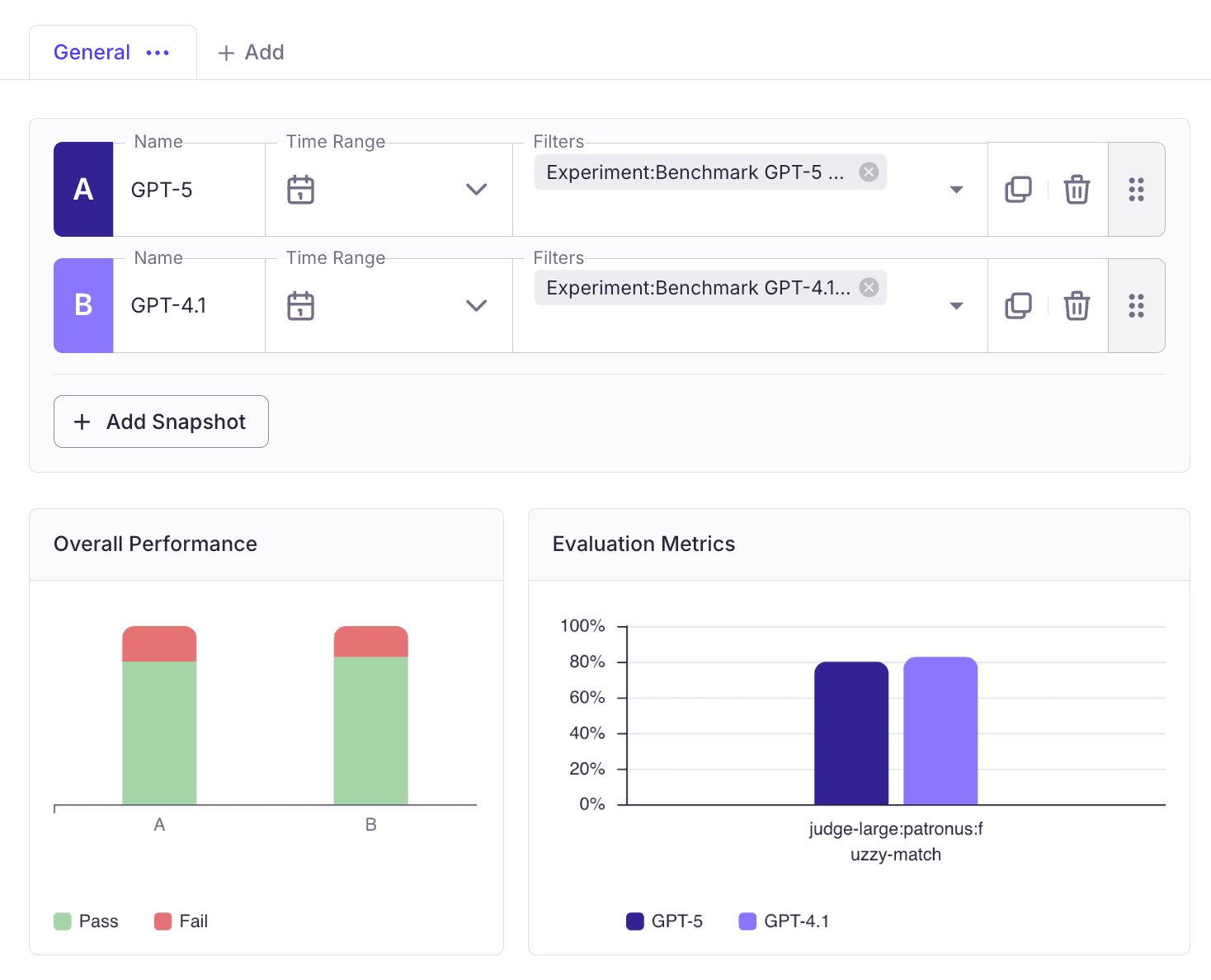
After the experiments complete, open the Patronus UI to compare results side by side. Adding two experiment snapshots and filtering by model lets you see how each model ranks on the same dataset.
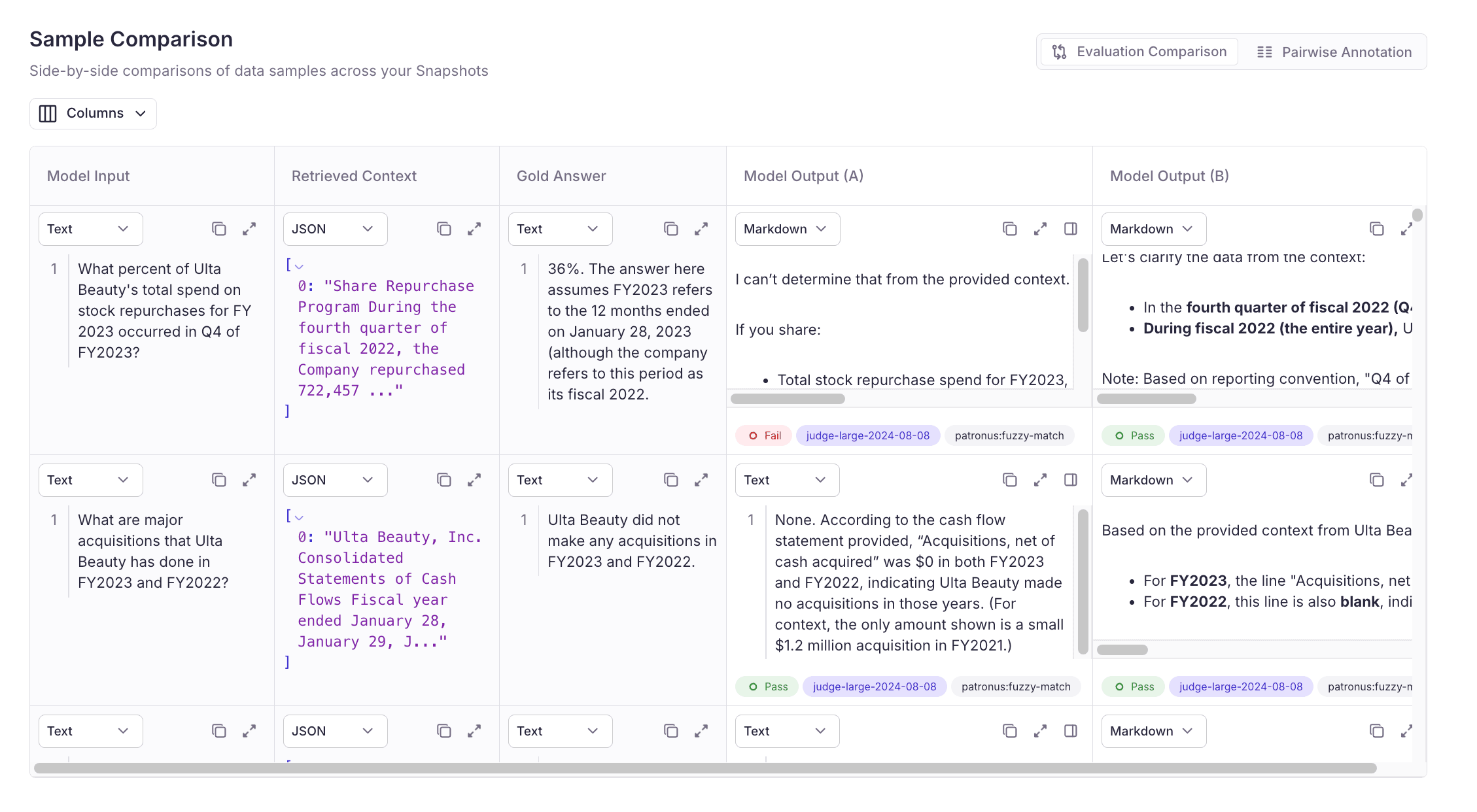
You can also:
- Compare outputs side-by-side
- Add preferences
- View judge explanations for each decision
Wrap Up
This flow — import eval data → define a task → run experiments → change model → re-run — is the standard loop for benchmarking model performance with Patronus.
It extends naturally to comparing prompts, temperatures, or retrieved-context variants on real-world tasks.